> For the complete documentation index, see [llms.txt](https://docs.linuxfoundation.org/lfx/llms.txt). Markdown versions of documentation pages are available by appending `.md` to page URLs; this page is available as [Markdown](https://docs.linuxfoundation.org/lfx/project-control-center/v2-latest-version/operations/domains/setting-up-a-domain-for-a-project.md).
# Setting up a Domain for a Project
A domain name provides a unique identity for your project. You can set up a unique domain name that will allow you administrative autonomy and control within the internet world.
To set a domain for the project, follow these steps:
1. On the Left navigation pane, search for the required project.
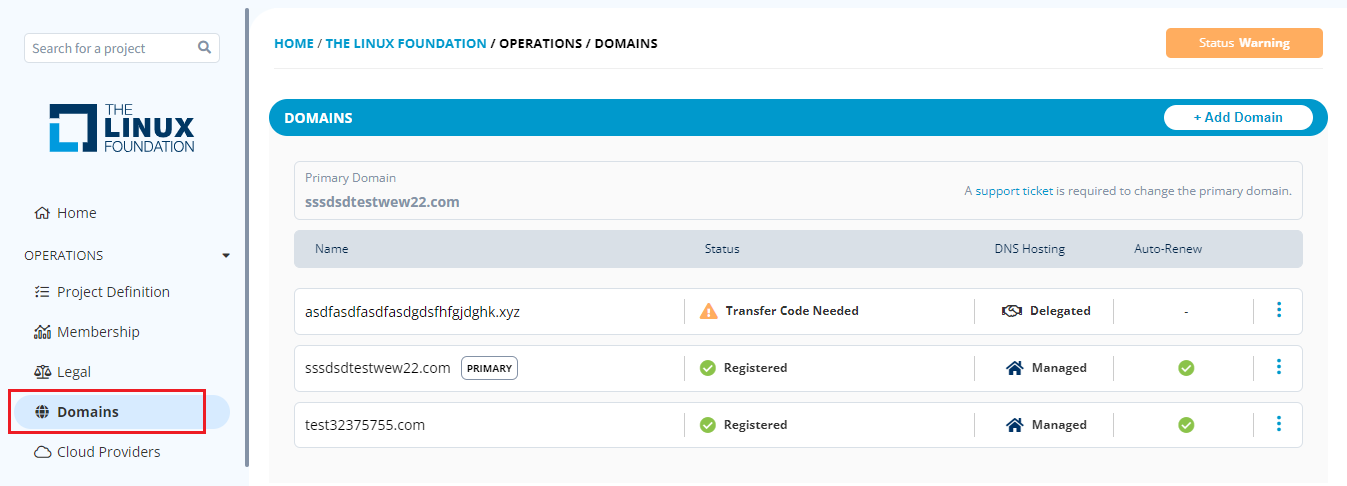
2. The Project dashboard appears; click the **Operations > Domains** tab.
Domains
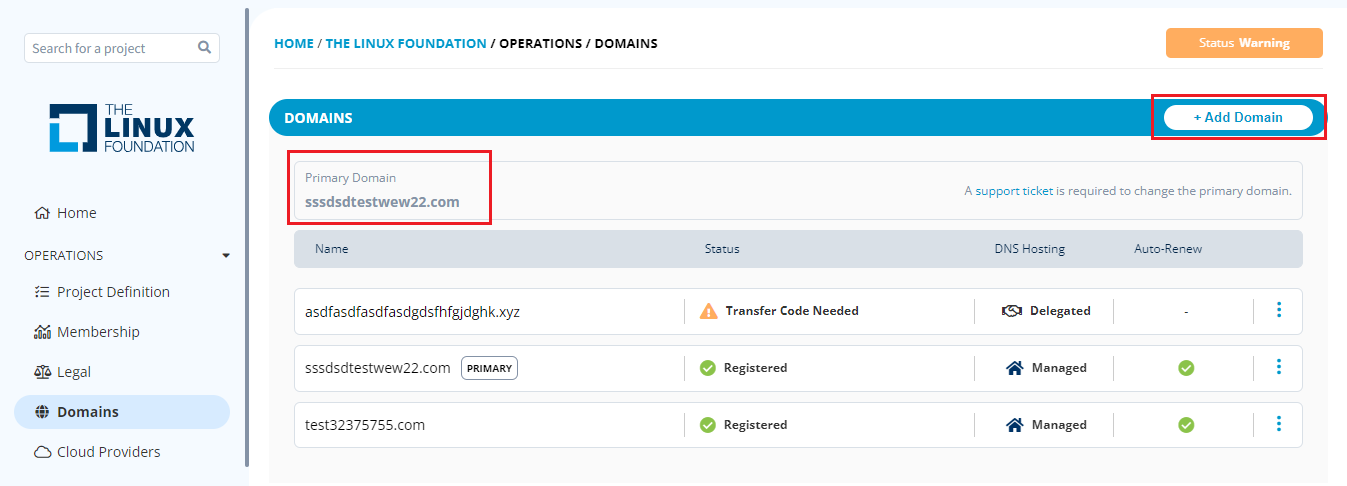
3. Click **+ Add Domain** to add a domain for your project on the Domains page.
{% hint style="warning" %}
To change the primary domain for the project, please open a support request.
{% endhint %}
Add Domain
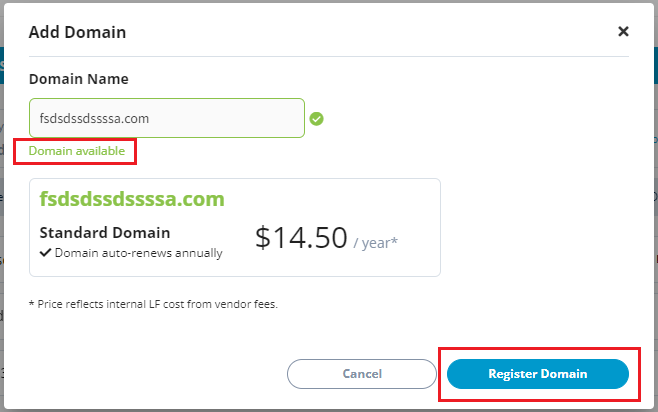
4. On the **Add Domain** dialog box, enter the **Domain Name** and click the **Check Availability** button.

5. The domain will be searched and checked against the following points:
* The domain is already owned by the project being set up.
* The domain is already owned by another project (whose name is unknown).
* The domain is already owned by another known project.
6. You will see a green check mark if the domain name is available. Click **Register Domain** to register it.
Register Domain
Set up the primary domain for your project before configuring other IT services like mailing lists, wikis, issue tracking, and email forwarding.
## Setting up Primary Domain
You can set up a primary domain for a project using any available and registered domains. A primary domain represents your project's main address. It can also linked to your web hosting.
To set up a primary domain for a project, follow these steps:
1. Go to the Domains page for the required project. The domain page appears with the list of domains registered with the project.
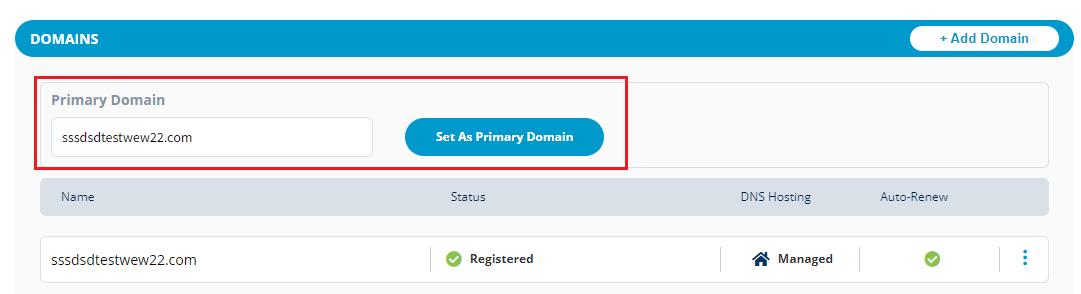
2. Place the cursor in the **Search Domain** box, select the required domain, and click the **Set As Primary Domain** button.
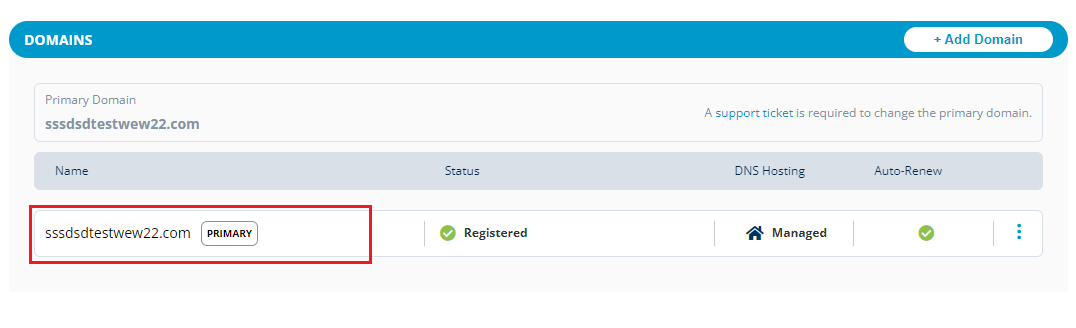
Primary Domain
3. The domain will be selected and listed as a Primary Domain.
Primary Domain
## Auto Renew
By default, when a domain is added to your project, the domain is set to auto-renew. Only support can disable auto-renew.
## Delegate DNS
Domain Name System (DNS) is the hierarchical and decentralized naming system used to identify computers, services, and other resources reachable through the Internet or other Internet protocol networks. DNS converts human-readable domain names to machine-readable IP addresses.
DNS Delegation provides rights from one resource to another. Delegations allow the servers in one zone to refer clients to servers in other zones.
The administrator can delegate the DNS to the managed DNS.
To delegate the DNS through PCC, follow these steps:
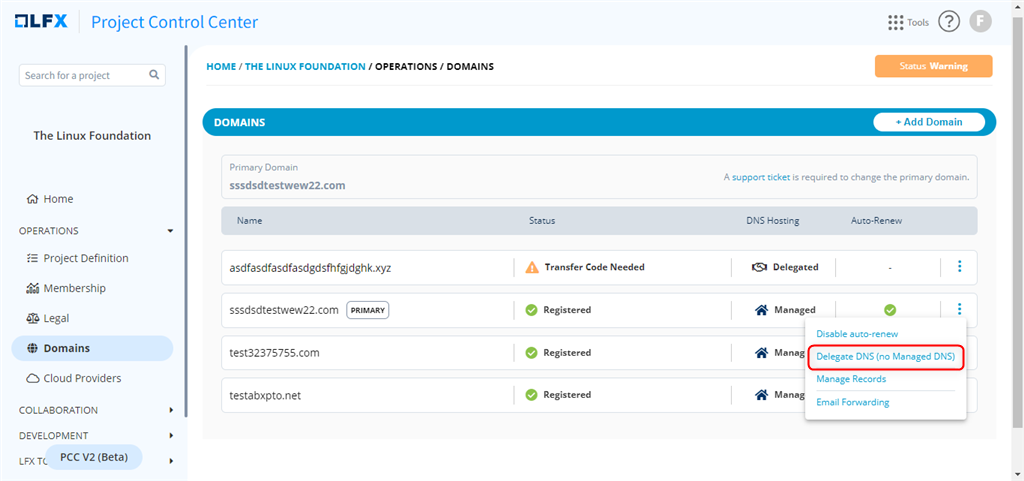
1. Go to the Domains list, click the overflow menu,
2. On the pop-up, click **Delegate DNS (no managed DNS)**.
3. On the Delegate DNS server pop-up box, enter the required Name Servers, select the "I Understand" statement, and click on **Delegate**.
{% hint style="info" %}
You can provide the details of up to six name servers.
{% endhint %}

3. A notification appears informing that the DNS delegation is successful and under DNS Hosting, the managed status changes to **Delegated**.

{% hint style="info" %}
An administrator can stop the delegation of the DNS by clicking the overflow menu and selecting "Stop Delegating DNS" (using Managed DNS). A confirmation message will appear, and the click "Yes."
{% endhint %}

---
# Agent Instructions
This documentation is published with GitBook. GitBook is the documentation platform designed so that both humans and AI agents can read, navigate, and reason over technical content effectively. Learn more at gitbook.com.
## Querying This Documentation
If you need additional information that is not directly available in this page, you can query the documentation dynamically by asking a question.
Perform an HTTP GET request on the current page URL with the `ask` query parameter, and the optional `goal` query parameter:
```
GET https://docs.linuxfoundation.org/lfx/project-control-center/v2-latest-version/operations/domains/setting-up-a-domain-for-a-project.md?ask=&goal=
```
`ask` is the immediate question: it should be specific, self-contained, and written in natural language.
`goal` is optional and describes the broader end goal you are ultimately trying to accomplish on behalf of the user. GitBook uses it to tailor the answer towards what is most useful for that goal.
The response will contain a direct answer to the question and relevant excerpts and sources from the documentation.
Use this mechanism when the answer is not explicitly present in the current page, you need clarification or additional context, or you want to retrieve related documentation sections.