# Open Source Event Speaking Experience

This section lets you add or update an open-source event that you attended as a speaker. You can add any open-source events outside of the Linux Foundation as well. Adding your speaking experience greatly enhances your profile in the open-source community.

To add an event that you attended as a speaker, follow these steps:

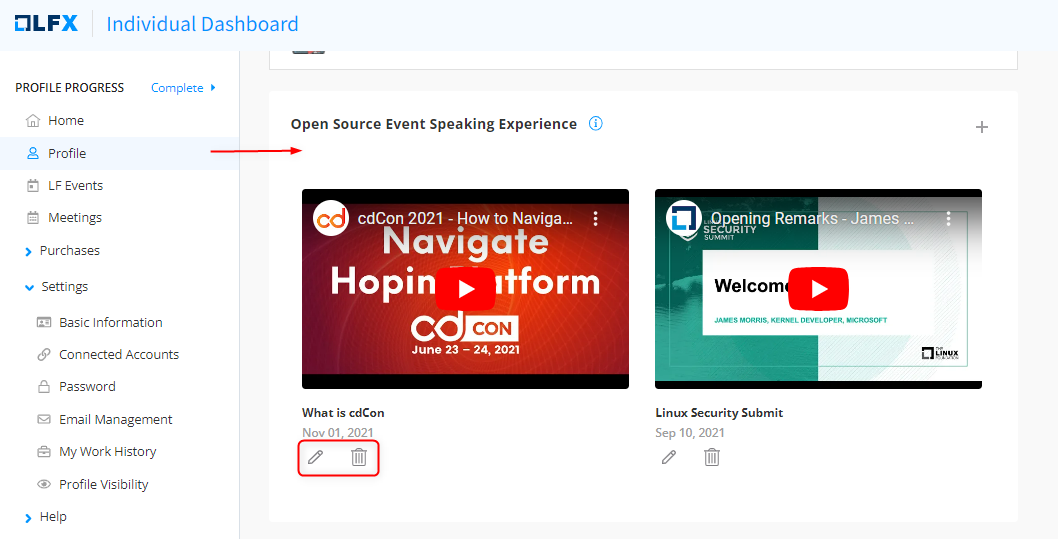
1. Click <img src="https://3411187760-files.gitbook.io/~/files/v0/b/gitbook-x-prod.appspot.com/o/spaces%2F-M2DCN9UgoRgMEkgnLyP-887967055%2Fuploads%2Fgit-blob-8ce88378dbe282b330de2fc243f72cf4a58c0734%2Fimage.png?alt=media" alt="" data-size="original"> icon to **Add Speaking Experience.**
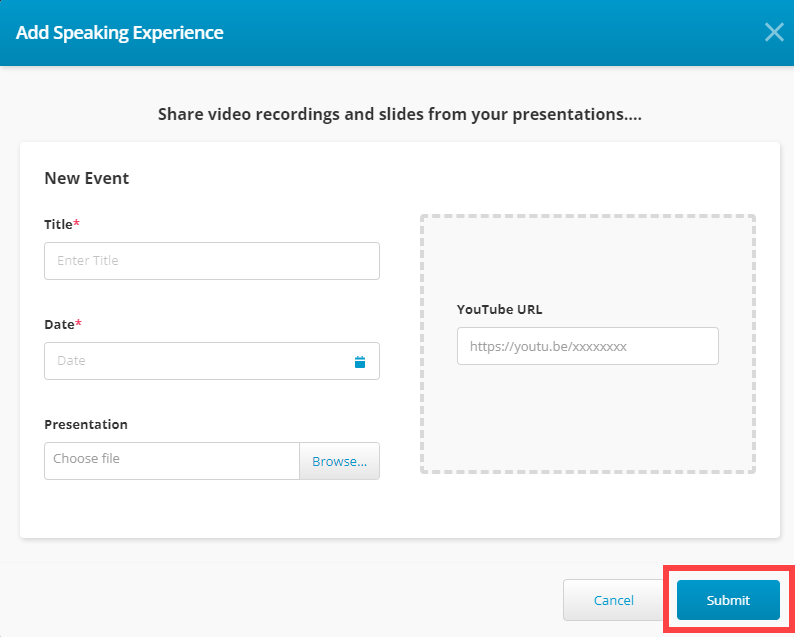
2. Provide event details such as title, date of the event, presentation file, and youtube URL if there is any, and click **Submit**.

<figure><img src="https://3411187760-files.gitbook.io/~/files/v0/b/gitbook-x-prod.appspot.com/o/spaces%2F-M2DCN9UgoRgMEkgnLyP-887967055%2Fuploads%2Fgit-blob-f83d801cb39881d74e8d6ce3abf8b9034e0276f7%2FOpen%20Source%20Event.PNG?alt=media" alt=""><figcaption><p>Add Speaking Experience CTA</p></figcaption></figure>

<figure><img src="https://3411187760-files.gitbook.io/~/files/v0/b/gitbook-x-prod.appspot.com/o/spaces%2F-M2DCN9UgoRgMEkgnLyP-887967055%2Fuploads%2Fgit-blob-3be60268fe9dad03e9bbc5f3af00a49b8ebc6964%2Fsubmit%20speaking%20experience.png?alt=media" alt=""><figcaption><p>Submit Speaking Experience</p></figcaption></figure>

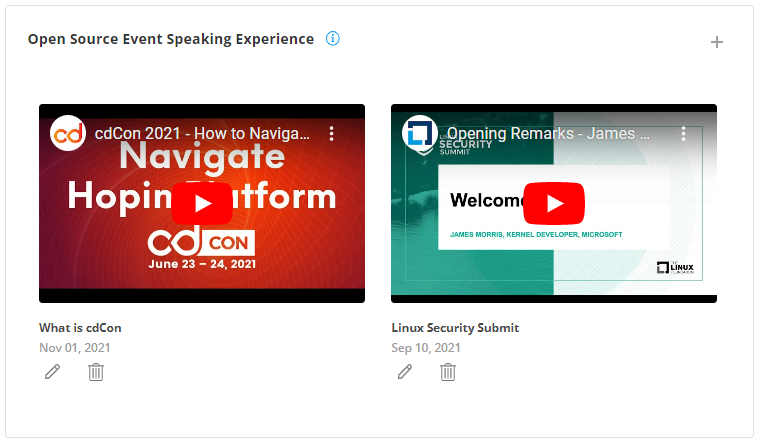
The following screen is displayed when you add one or more events that you attended as a speaker. You can edit or delete an event by clicking the edit (pencil icon) or delete icon on the event name.

<figure><img src="https://3411187760-files.gitbook.io/~/files/v0/b/gitbook-x-prod.appspot.com/o/spaces%2F-M2DCN9UgoRgMEkgnLyP-887967055%2Fuploads%2Fgit-blob-10e07e6b5c0c14511f589c826692e9b9f0cf18e3%2F2023-09-13_21h12_48.png?alt=media" alt=""><figcaption><p>Edit or Delete Speaking Experience</p></figcaption></figure>